by
by 
Kali Linux 2025.4 is officially here, and this release focuses on usability, performance, modern desktop improvements, and stronger virtual machine support. Instead of flashy marketing features, this update delivers practical enhancements that directly improve day-to-day workflows for security professionals, students, and researchers.
Let’s break down everything new in Kali Linux 2025.4 in a simple and easy-to-understand way.
Desktop Environment Updates Across the Board
Kali Linux continues to support multiple desktop environments, and in version 2025.4, GNOME, KDE Plasma, and Xfce all receive meaningful updates.
GNOME 49: Cleaner, Faster, and Wayland-Only
GNOME has been upgraded to version 49, bringing a more polished and modern experience.
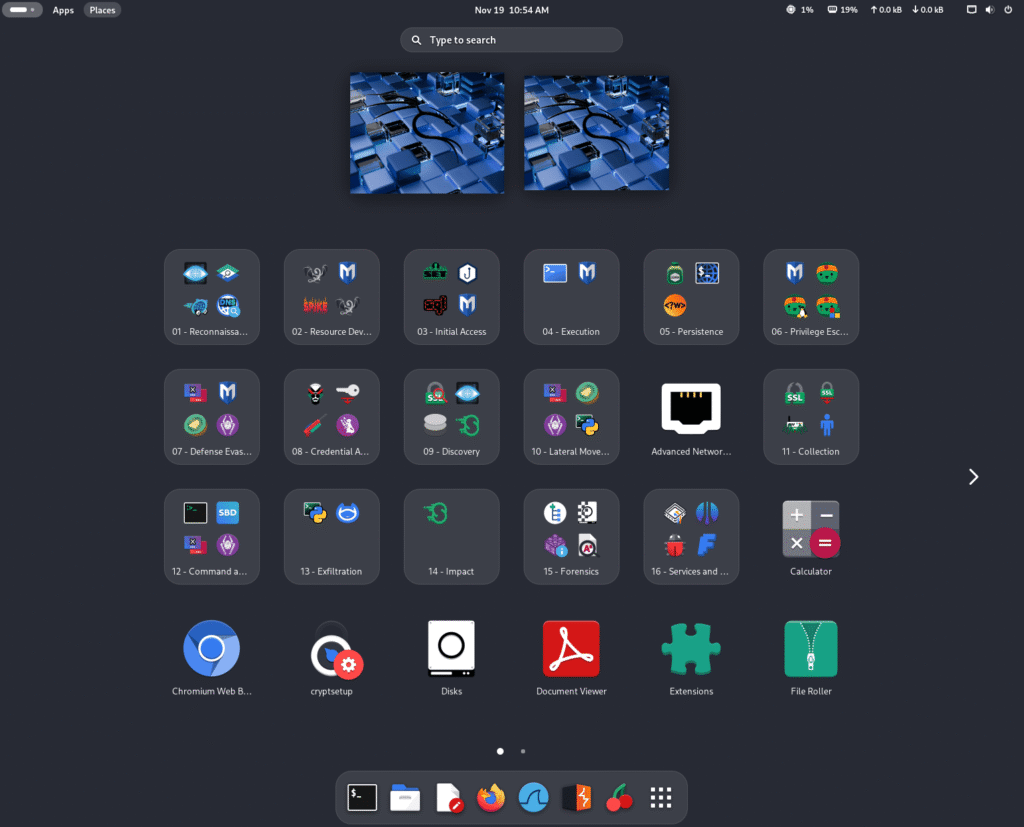
Key Improvements
- Fresh visual tuning for Kali themes
- Showtime app replaces the older Totem video player
- Application grid is now organized into folders, making tools easier to find
- New keyboard shortcut for opening a terminal:
Ctrl + Alt + T or Win + T
Note: Existing installations won’t automatically change your app grid layout to avoid overwriting personal customizations. You can manually enable the new layout if needed.
Goodbye X11, Hello Wayland
GNOME 49 removes X11 support completely. Wayland is now the only display server, offering:
- Better performance
- Improved security
- Smoother graphics handling
The transition is seamless, and virtual machine users are fully supported.
KDE Plasma 6.5: Powerful and Feature-Rich
Kali Linux now ships with KDE Plasma 6.5, combining improvements from multiple releases.
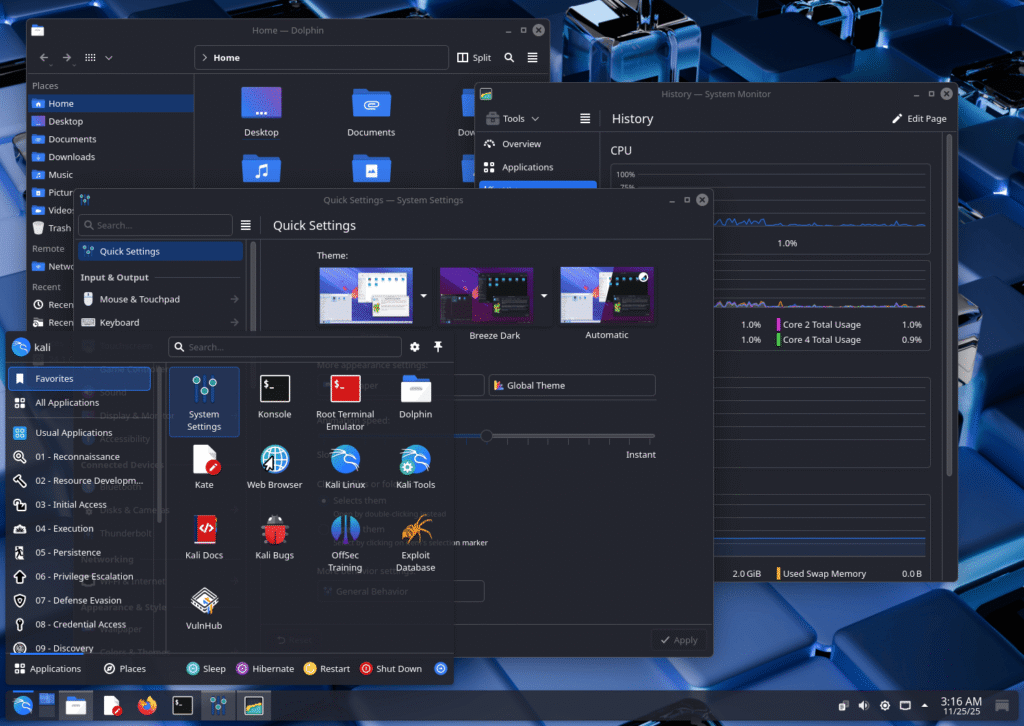
Highlights
- More flexible window tiling
- Improved screenshot tool with editing options
- Pinned clipboard items accessible from the panel
- Fuzzy search in KRunner, allowing searches even with spelling mistakes
This makes KDE Plasma one of the most productive desktops available in Kali today.
Xfce Gets Full Color Theme Support
Xfce users finally get proper color theme customization, bringing it closer to GNOME and KDE.
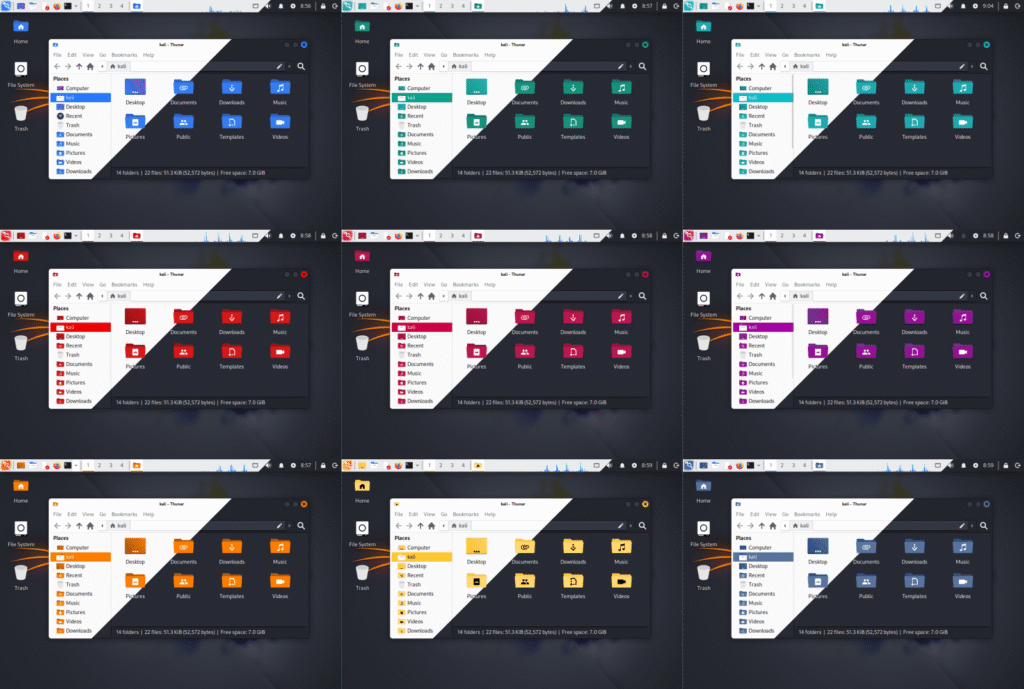
What’s New
- Unified themes for: GTK 3 & GTK 4 apps, Qt 5 & Qt 6 apps, Window manager decorations
- Settings available via the Appearance application
- Qt apps can be customized using qt5ct and qt6ct, both included by default
This is a major visual upgrade for Kali’s default desktop.
Wayland Now Fully Works in Virtual Machines
One of the biggest practical improvements in Kali Linux 2025.4 is full VM guest support for Wayland.
Supported Platforms
- VirtualBox
- VMware
- QEMU
Working Features
- Clipboard sharing
- Dynamic window resizing
- Proper display scaling
This removes one of the last major reasons users avoided Wayland in virtual machines.
Kali Halloween Mode (Still Available!)
Although hidden from the menu, Kali’s fun Halloween Mode is still available.
You can activate it manually using:
kali-undercover --halloween
It changes the desktop appearance with a hacker-themed Halloween style—purely cosmetic, but fun to try.
Kali Live Image Now BitTorrent-Only
Starting with Kali Linux 2025.4, the Live ISO is no longer available via direct HTTP download.
Why This Change?
- Live images have exceeded the 5 GB CDN limit
- The Live image includes: A full preinstalled Kali system, The Kali installer, Extra packages
Rather than removing tools or reducing features, Kali developers chose to distribute the Live image only via BitTorrent, similar to the “Everything” image.
Image Size Overview
- Pre-built VM: ~3.5 GB
- Installer ISO: ~4.3 GB
- Live ISO: ~4.7+ GB
New Tools Added in Kali Linux 2025.4
As always, Kali adds new security tools:
New Packages
- bpf-linker – Static BPF linker
- evil-winrm-py – Python-based WinRM command execution tool
- hexstrike-ai – MCP server enabling AI agents to run tools autonomously
Additionally:
- Many tools have been updated
- Kernel upgraded to Linux 6.16
Kali NetHunter: Major Updates
Android 16 Support
- New supported devices include:
- Samsung Galaxy S10 series (LineageOS 23)
- OnePlus Nord
- Xiaomi Mi 9 (Android 15)
These devices support advanced NetHunter features such as:
- Wireless injection
- CAN support
- Internal adapters
How to Upgrade to Kali Linux 2025.4
If you already have Kali installed:
echo "deb http://http.kali.org/kali kali-rolling main contrib non-free non-free-firmware" | sudo tee /etc/apt/sources.list
sudo apt update && sudo apt -y full-upgrade
sudo reboot -f
After upgrading, verify:
cat /etc/os-release
uname -r
You should see:
Version: 2025.4
Kernel: 6.16.x
Final Thoughts
Kali Linux 2025.4 is a practical, stability-focused release that modernizes the desktop experience while maintaining Kali’s core mission. With better Wayland support, improved desktops, updated tools, and strong NetHunter enhancements, this release is ideal for both new users and experienced professionals.
If you rely on Kali daily, upgrading to 2025.4 is absolutely worth it.