by
by 
In this guide, you’ll learn how to install HTOP in Kali Linux, how to use it, and why it’s a must-have system monitoring tool. Monitoring system resources is an essential task for Linux users, especially for administrators, developers, and penetration testers. HTOP is an advanced, interactive process viewer that provides a more user-friendly alternative to the traditional top command.
What is HTOP?
HTOP is a free, open-source process monitoring tool for Linux systems. It allows users to view running processes in real time and manage them easily using a keyboard-driven interface.
Key Features of HTOP
- Colorful and interactive terminal interface
- Displays CPU, memory, and swap usage
- Vertical and horizontal scrolling for processes
- Ability to kill processes without entering PIDs
- Faster and more informative than the top command
Prerequisites
Before installing HTOP, make sure:
- You are running Kali Linux
- You have sudo or root access
- Your system has an active internet connection
Install HTOP in Kali Linux
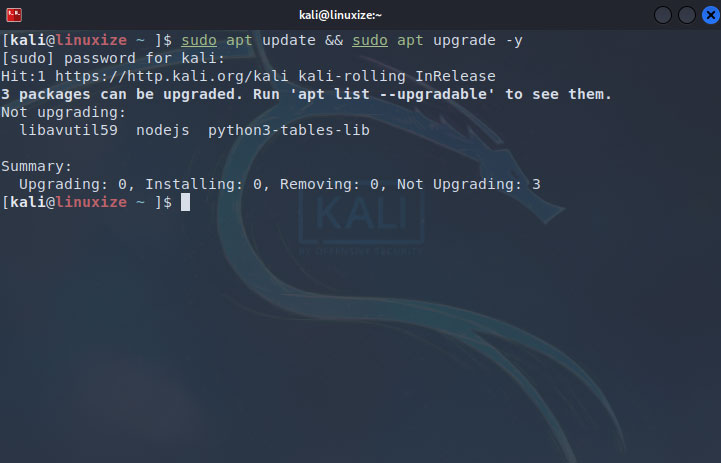
Update Kali Linux Packages
It’s always a good practice to update your system before installing new software.
sudo apt update
Install HTOP in Kali Linux
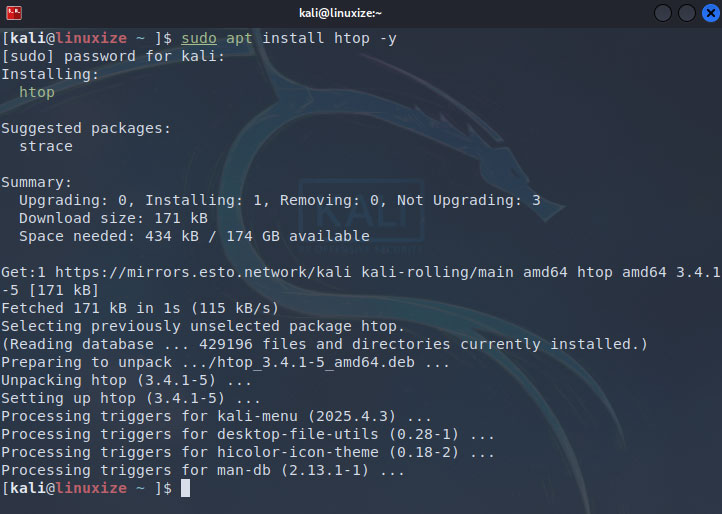
HTOP is available in the official Kali Linux repositories. To install it, run:
sudo apt install htop -y
The -y flag automatically confirms the installation.
Verify HTOP Installation
Once the installation is complete, verify it using:
htop --version
If HTOP is installed correctly, it will display the version number.

Run HTOP
To start HTOP, simply type:
htop
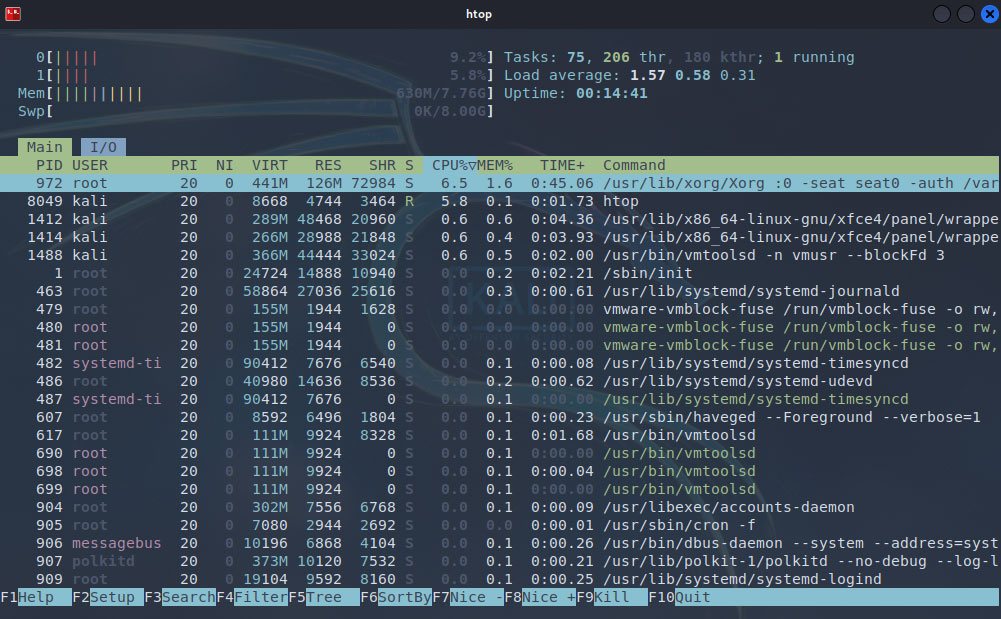
You will see an interactive dashboard showing:
- CPU usage (per core)
- Memory and swap usage
- List of running processes
How to Use HTOP (Basic Controls)
Here are some useful keyboard shortcuts in HTOP:
| Key | Action |
|---|---|
| F1 | Help |
| F2 | Setup / Settings |
| F3 | Search process |
| F4 | Filter processes |
| F5 | Tree view |
| F6 | Sort processes |
| F9 | Kill process |
| F10 | Quit HTOP |
Run HTOP as Root (Optional)
To view and manage all system processes, run HTOP with root privileges:
sudo htop
How to Uninstall HTOP (If Needed)
If you ever want to remove HTOP from Kali Linux, use:
sudo apt remove htop -y
To remove configuration files as well:
sudo apt purge htop -y
HTOP vs TOP Command
| Feature | HTOP | TOP |
|---|---|---|
| Interactive UI | Yes | No |
| Mouse support | Yes | No |
| Easy process killing | Yes | Limited |
| Visual graphs | Yes | No |
Conclusion
Installing HTOP in Kali Linux is quick and highly recommended for anyone who wants better control and visibility over system processes. Its intuitive interface and powerful features make system monitoring easier and more efficient compared to traditional tools.
Whether you are a beginner or an advanced Kali Linux user, HTOP is a tool you should definitely have installed.