by
by 
This guide explains how to update Kali Linux safely using simple commands. Keeping Kali Linux up to date is important for security, system stability, and access to the latest tools. Kali follows a rolling release model, which means you don’t need to reinstall the OS to get new updates — regular updates are enough.
Why You Should Update Kali Linux
Updating Kali Linux helps you:
- Get the latest security patches
- Update penetration testing tools
- Fix bugs and system issues
- Improve performance and hardware support
Check Your Kali Linux Version (Optional)
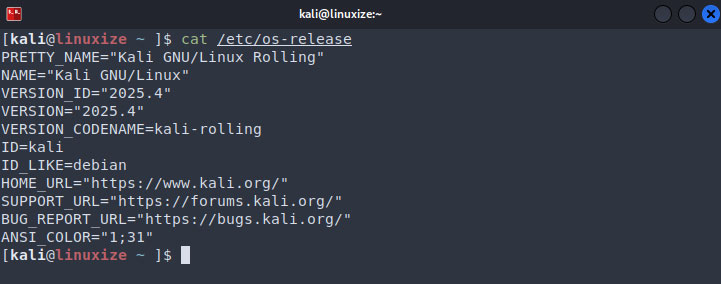
You can check your current Kali version using:
cat /etc/os-release
Update Kali Linux Using Terminal
This is the recommended and safest method.
Update Package List
sudo apt update
This command checks for available updates.

Upgrade Installed Packages
sudo apt upgrade
Press Y and Enter when asked.
Full Upgrade (Recommended)
sudo apt full-upgrade
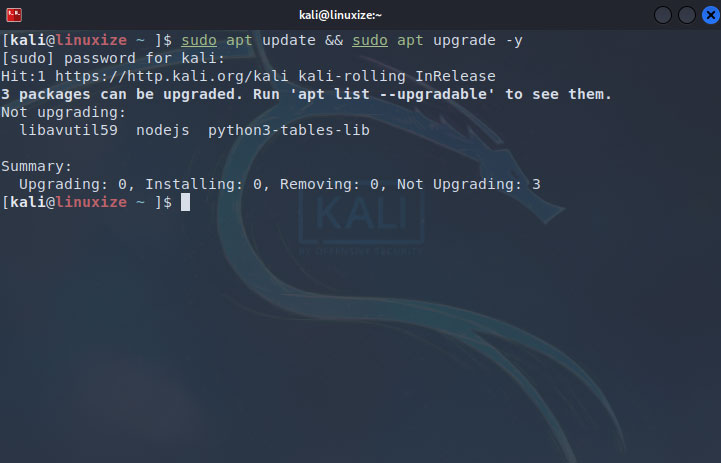
This ensures all packages and dependencies are updated correctly.
Clean Unused Packages (Optional)
sudo apt autoremove
sudo apt clean
This removes unused files and frees disk space.
One-Line Update Command
If you prefer a quick method:
sudo apt update && sudo apt full-upgrade -y
Update Kali Linux Kernel
Kernel updates are included in normal updates.
Check kernel version:
uname -r
Reboot after updates:
sudo reboot
Check Official Kali Repository
Make sure you are using the official Kali repository.
Open the sources list:
cat /etc/apt/sources.list
Correct entry:
deb http://http.kali.org/kali kali-rolling main contrib non-free non-free-firmware
Update again after fixing:
sudo apt update
Fix Common Update Issues
Broken Packages
sudo apt --fix-broken install
Update Errors
sudo rm -rf /var/lib/apt/lists/*
sudo apt update
Restart the system after kernel upgrades
Conclusion
Updating Kali Linux is easy and essential. With just a few commands, you can keep your system secure, stable, and ready with the latest tools. Regular updates ensure the best performance and reliability for your cybersecurity work.